


Share with Your Friends! 190 190Shares
Ever scrolled through Pinterest or Etsy and thought, “I could design that”? You’re not alone. So many of us spend hours on Canva making cute planners or social media posts — without realizing those designs could actually earn us money money on Canva.
The problem? Most side hustles sound complicated or need special skills. And if you’re not a designer, the idea of earning from Canva can feel out of reach.
Here’s the truth — you don’t need to be an expert to make money with Canva.
Whether you’re a student, stay-at-home mum, or total beginner, you can make money on Canva with beginners-friendly ideas that fit your lifestyle.
In this post, I’ll show you fun, realistic ways to turn your creativity into real income.
Ready? Let’s dive in.
You may also like to read:
How to sell Canva templates to make money?
Canva template ideas that sell well.
Passive Income ideas.
Best side hustles to start as a beginner.
How to make money on Etsy.
Summer jobs for teens.
Easy skills to learn to make money from home.
Table of Contents
Toggle
Step-by-Step Guide to Make Money with Canva (Beginner Friendly)
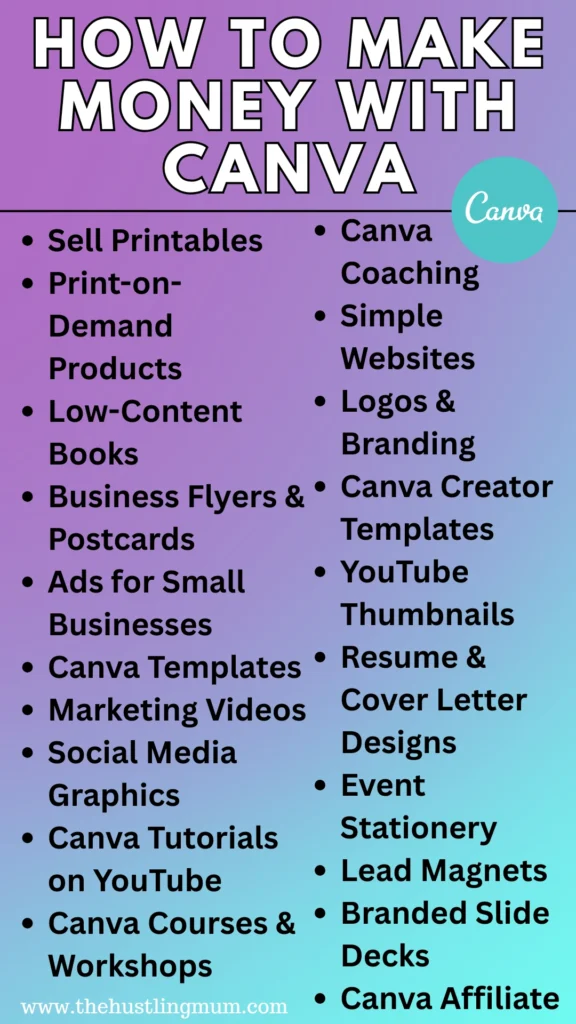
1. Print on Demand (POD)
If you love doodling or designing quotes, this one’s perfect for you. Print-on-demand lets you create designs once and sell them endlessly without worrying about shipping or inventory. It’s a simple way to earn money passively with Canva — your art works for you while you sleep!
Steps:
1️⃣ Design simple graphics in Canva (fun quotes, minimalist art, patterns).
2️⃣ Save them as PNG with a transparent background.
3️⃣ Upload to platforms like Redbubble, Printify, or TeePublic.
4️⃣ Pick products (t-shirts, mugs, stickers).
5️⃣ Publish and earn commissions every time someone buys.
2. Sell Printables & Digital Products
Printables are a beginner’s dream — low effort, no shipping, and endless potential.
You can create planners, calendars, budget trackers, or wall art in Canva and sell them as instant downloads. This is one of the easiest ways to make money with Canva consistently.
Steps:
1️⃣ Design your printable in Canva.
2️⃣ Export as a high-quality PDF.
3️⃣ List it on Etsy or Gumroad.
4️⃣ Use mockups to make your listings attractive.
5️⃣ Add searchable keywords like “editable planner” to boost visibility.
Also read:
Canva template ideas to sell.
3. Publish Low-Content Books
You don’t have to be an author to publish on Amazon KDP!
Canva makes it easy to create notebooks, journals, and activity books that people love buying. Once uploaded, Amazon handles printing and delivery while you collect royalties — it’s a great way to make money on Canva with beginners.
Steps:
1️⃣ Create journal pages and covers in Canva.
2️⃣ Export as PDF (print-ready).
3️⃣ Upload to Amazon KDP.
4️⃣ Set your price and publish.
5️⃣ Earn royalties every month.
Also read:
Amazon remote jobs to make money.
4. Sell Local Business Postcards
Small businesses often need affordable, attractive designs — postcards for promotions, events, or thank-you cards. You can use Canva to create them in minutes and build great relationships with local clients.
Steps:
1️⃣ Design postcard templates in Canva.
2️⃣ Print or share digital samples.
3️⃣ Reach out to local shops or restaurants.
4️⃣ Offer design and printing packages.
5️⃣ Charge per piece or project for quick income.
5. Create Ads for Small Businesses
Business owners often struggle to design professional-looking ads — which is where you step in. With Canva’s ready templates, you can create eye-catching designs for Facebook, Instagram, or Pinterest ads.
Steps:
1️⃣ Design a few sample ads in Canva.
2️⃣ Showcase them on Fiverr or Upwork.
3️⃣ Offer ad design services for small brands.
4️⃣ Customize templates using brand colors and logos.
5️⃣ Deliver and earn — a great starter gig to make money on Canva with beginners.
6. Sell Canva Templates
This is a top passive income method — you create once and sell forever. Templates are loved by busy entrepreneurs and content creators who need quick, done-for-you designs.
Steps:
1️⃣ Design editable templates (social posts, resumes, planners).
2️⃣ Share via “Template Link” in Canva.
3️⃣ Sell on Etsy, Creative Market, or your website.
4️⃣ Include usage instructions.
5️⃣ Keep updating your designs to stay relevant.
7. Create Marketing Videos
With Canva’s built-in video editor, you can now make beautiful short videos for businesses and creators. Think reels, product promos, or brand introductions — all in one place!
Steps:
1️⃣ Choose a video template in Canva.
2️⃣ Add clips, text, and transitions.
3️⃣ Export in MP4 format.
4️⃣ Offer services to small businesses or influencers.
5️⃣ Deliver projects and charge per video.
8. Create Social Media Content for Clients
Social media management is booming — and Canva makes it easy to design aesthetic, branded content for clients. Even beginners can start offering content bundles for businesses or coaches.
Steps:
1️⃣ Pick a niche you like (beauty, lifestyle, fitness).
2️⃣ Design a set of branded Canva posts.
3️⃣ Offer them as content packs or monthly packages.
4️⃣ Share before/after mockups on Instagram or Fiverr.
5️⃣ Deliver editable files to your clients.
9. Become a Canva YouTuber
If you enjoy teaching, why not share your Canva knowledge? People are always searching for design tutorials, and YouTube rewards creators who help others. Plus, it’s a fun way to build your personal brand while earning.
Steps:
1️⃣ Record Canva tutorials or design tips.
2️⃣ Use Canva for your video thumbnails and intro screens.
3️⃣ Post consistently to grow your channel.
4️⃣ Monetize with ads, affiliate links, or your own digital products.
5️⃣ Build an audience and turn your creativity into cash.
10. Launch a Canva Course
Teaching others how to design on Canva is both rewarding and profitable. You can share your skills through a course or workshop and get paid every time someone enrolls.
Steps:
1️⃣ Pick a course topic (e.g. “Canva for Beginners”).
2️⃣ Create slides and guides using Canva.
3️⃣ Record short, clear lessons.
4️⃣ Upload to platforms like Skillshare or Udemy.
5️⃣ Promote your course through Pinterest or YouTube.
